Showing posts with label Google Play. Show all posts

Wednesday, 4 May 2016

DarjMate – A New APP For All Your Darjeeling Info Needs

Flashback to a few years ago, a lot of us struggled to comprehend the philosophy of rapid technological advancement. It was really difficult to cope up with the emerging revolution. Not everyone could fathom the idea of “help” on fingertips. 

Fast forward today, we have made a huge progress in terms of technology. Thanks to the wonderful creation called smartphones and apps, everything has become easier and convenient.

Keeping the spirit alive, kindly allow me to introduce you ‘Darjmate,’ an app specifically designed to help the natives in Darjeeling and the many tourists who visit the town. The app covers everything in around the town and is the first of its kind.

As a tech-enthusiast, I cannot but help get in touch with the developer Tashi Bhutia. As we spoke about the app’s foray into the market, I wanted to learn more on the inspiration behind it and what purpose does it serve. 

Here’s a quick chat with the app developer.

When asked, what made you start this project, when did you start and how was the journey? Mr Tashi Bhutia answers,

My background: Started my career as a faculty on Zee Career Academy, Darjeeling where we use to use Windows 98 :). My interest drifted towards Web Technology and doing further courses I landed working in Kolkata, Delhi and now Bangalore. Having experience 10+ years, I was always passionate about doing something for Darjeeling in terms of technology, but I was carried away by my mainstream job.

And around 2010, I started taking freelancing job to a limited number of customers and thus introduced Darjeeling Web (www.darjeelingweb.com). However I could sense the numerous hindrances, especially awareness of technology in Darjeeling and its people. People are still happy with Facebook and WhatsApp and least bothered about building a website for their business and others. I'm amazed to see big organizations in Darjeeling still don't have a website or online presence.

DarjMate - Initially I thought of starting ecommerce portal on Darjeeling but after conducting a few research, I came to realize that other than tea nothing can be sold online. And Mobile APP had started to become trendy, and thanks to Google that APP creation was doable. So I started building hybrid APP with Cordova, HTML & Angular (technology) as "DarjMate" and published on 1st Nov 2015. Keeping the internet connectivity in mind, till DarjMate version 1.4 we were working in offline mode but latest 1.5 is totally backend process with advance feature and UX/UI improvement.

Since this is the first of its kind in Darjeeling, I wanted even the native can benefit using this APP especially Medical, HealthCare and Services sections so, I urge Darjeeling Chronicle and others to help me in this sections. I dream and assure of taking this project to further levels.

As of now the app is build for Android users. As per Tashi bhutia, iOS and Windows phone users can use the url m.darjmate.com to see the app. In future the same will be developed for both iOS and Windows supported smartphones and tablets.

The landing page of the Android app has a photo of Batasia loop with the name of the app "DarjMate" in it. It also has the tagline "Darjeeling Guide". As the app is developed by "Darjeeling Web", you can see their logo DWEB there too.

Once you get inside the app you can see 18 different tabs with different captions in it. From those 18 tabs, the first 15 are in blue color and remaining 3 are in red. When asked to the developer why only the last 3 are in red he said, "Felt that's likely to be used more".


Now let me quickly take you through all the 18 tabs present in the app

Darjeeling: This tab gives you basic details of Darjeeling. It has 5 different sections. The first section is the overview of Darjeeling which gives brief description of its latitude and longitude. The Flora and Fauna, climate etc. The second section says about the history of Darjeeling, how the name Darjeeling came into picture. The third section says about the transformation from the British rule to the present administration. The fourth section describes its rich culture and different ethnic Gorkha groups. The fifth section will let you know the correct time to visit the place.

Airport: This tab will let you know the nearest airport from Darjeeling.

Railway: This tab will let you know the nearest railway station from Darjeeling.

Travel: Now once you are in Darjeeling, this tab will certainly be of your help. It contains all the verified tour and travels in Darjeeling as told in app. The listing includes travel, trek and adventurous sporting arrangements in Darjeeling.

Hotels: Your vacation is ruined if your stay is inconvenient. So, this tab brings you the best hotels in Darjeeling. The app has listed out the best hotels based on budget, service and location.

Food: Food is what everyone wants to taste when someone visits a new place. This tab lists the best eateries in Darjeeling be it restaurant or kiosk.

Medical: This tab here lists all the hospitals, clinics and doctors in Darjeeling. You can use the search by option and filter it at your convenience.

Banks: This tab lists all the government and private banks in and around Darjeeling along with their IFSC code and phone numbers.

Shopping: This is the best part when you go to some new places. This tab lists the main shopping destinations in Darjeeling. Apart from these there are many shops where you will enjoy shopping too.

Education: Darjeeling is also known for its center of excellence in the field of education. This tab lists all the schools and colleges in Darjeeling.

Pubs: Nightlife in Darjeeling? Yes, there is. This tab lists the entire restro bar in the town where you will enjoy the ambience and the rich taste of various music with various genres.

Parlours: This tab lists all the salon and spa in and around the town.
Organizations: This tab lists all the Government, NGOs, Associations and Clubs in Darjeeling. The basic details section gives you important phone numbers.

Health Care: Everyone knows “Health is Wealth”. This tab lists all the health care and fitness centres in and around Darjeeling.

Rental: This tab lists all the vendors from whom you can rent mountain bikes, motorbikes, cars, flats, hiking kits once you land there.

Attraction: Darjeeling located at the foothills of the Himalayas with its natural scenic beauty has so many natural tourist attraction places. This tab lists those tourist attraction places. 

Gallery: This tab has Darjeeling captured in the form of photographs. 

Services: This tab lists the different services provided individually by different people. Here it encourages individual skills and motivates them to a larger exposure/ marketplace.

Android users you can download the App from here.

Tuesday, 27 October 2015

BlackBerry Pushes Priv Stock Apps On Google Play Ahead Of Launch

With pre-orders live, Blackberry has published several Priv stock apps on Google Play. The apps currently available on Google Play include BlackBerry Launcher, Blackberry Keyboard, MicrosoftexFAT for BlackBerry, Blackberry Services, BlackBerry Password Keeper, BlackBerry Camera, and DTEK by BlackBerry. None of these are actually installable yet, as the Priv isn't yet available. 


BlackBerry Launcher

The BlackBerry Launcher application enables you to:
  • Easily turn multistep tasks such as sending an email or calling a friend into a one-click task.
  • Find, sort and place applications, widgets and shortcuts across home screen panels for convenient access.
  • Widgets are a great way to get information quickly, but can take up a lot of space on your home screen. BlackBerry® Pop-Up Widgets allow you to view any application widget by simply swiping up or down across the icon on your home screen, giving you fast access to the information you need, when you need it.
  • Use keyboard shortcuts to launch applications or tasks, such as tapping ‘B’ to launch your Browser.
  • Customize the look and feel of your device using icon packs, and more...

BlackBerry Keyboard


The PRIV by BlackBerry® gives you the freedom to choose between a virtual touch screen keyboard or a physical keyboard for speed and accuracy.

Snap the slider open to dismiss the touch screen keyboard and free up valuable screen space. A full physical keyboard is revealed that also doubles as a touch sensitive track pad for scrolling and fine cursor control. You can even map the physical keys to shortcuts that launch device features.

The BlackBerry Keyboard includes a number of components that work together to deliver an optimal user input experience:
  • A reinvented physical keyboard that optimizes accuracy, ergonomic comfort and precise control.
  • A market disrupting touch sensitive keyboard to help you get things done fast.
  • A complementary set of on-screen virtual keyboards for touch interaction and fast access to the most critical text elements 
  • An intelligent input engine that allows the keyboard to learn and remember words you type often and then offer them as next-word suggestions.
  • A set of software capabilities that allows shortcuts to user-defined words and phrases, and more…
Key Features
  • Quick and easy creation of text with the renowned BlackBerry Keyboard, featuring auto correction, next word prediction and a Personal Dictionary.
  • More efficiency through learning and personalization. The keyboard gets more accurate over time as it learns your style and word selection.
  • Text Selection and Fine Cursor Control make it easy to format your work properly and give it a polished and professional appearance.
  • Settings that put you in control of your keyboard experience.

MicrosoftexFAT for BlackBerry


SDXC Cards store data in a different format, versus previous generation SD cards. This application lets you unlock the full potential of your SDXC Card for your BlackBerry smartphone.

Key Features:
  • Supports SDXC cards up to 2 TB capacity
  • Can save files in excess of 4GB in size

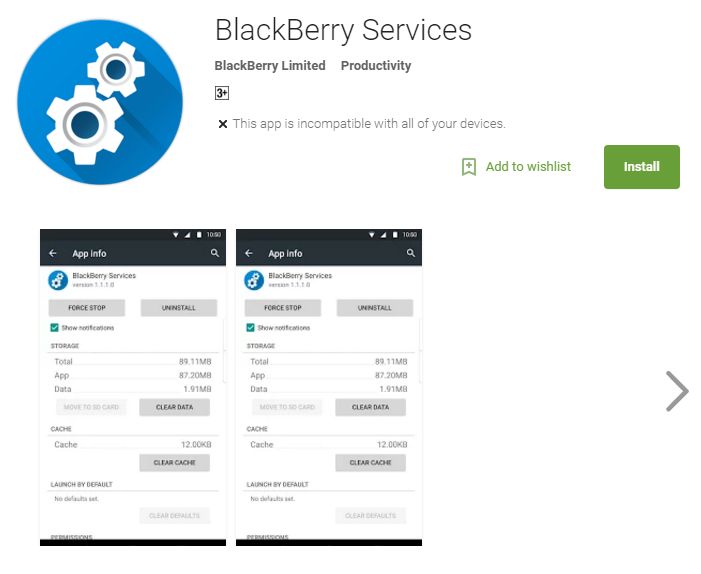
BlackBerry Services 


BlackBerry Services is the foundation upon which all of your favorite BlackBerry applications are built. It provides both enhanced security and improved productivity.

Key Features
  • Enjoy a more consistent experience across your BlackBerry applications, including common menus that allow you to open items in other BlackBerry applications.
  • Manages the data for all BlackBerry Productivity Suite applications, providing secure and efficient access to your most critical data. This includes the sync logic that obtains your data from the Internet, seamlessly keeping your device up-to-date.
  • Delivers an enhanced level of security, by partitioning your applications into Work and Personal perimeters.

BlackBerry Password Keeper


The BlackBerry Password Keeper application allows you to keep all of your passwords, login information, and important records safe and secure. BlackBerry Password Keeper allows you to store all of these records in a single location for easy access and reference. Your information is encrypted using AES-256 and protected by a single password of your choice. 

Plus if you have Password Keeper records from a previous BlackBerry 10 device, you can easily import all of your records and start using the app right away. 

Key Features
  • Easily import Password Keeper records from a previous BlackBerry 10 device
  • Create, edit, and delete records
  • Generate random passwords
  • Set records as favorites
  • Check that your passwords are strong using the password strength meter

BlackBerry Camera


The BlackBerry® Camera is optimized for the Schneider-Kreuznach® certified camera on PRIV. Take professional-quality photos with minimal effort! Creativity comes naturally when taking photos is this simple, and when your results are this beautiful. 

The BlackBerry Camera includes professional settings that you can apply as you frame the scene, including live filter effects and exposure control. Features like Phase Detection Auto Focus, OIS, and a dual-color flash help the camera focus instantly, deliver feedback to you quickly, and capture crisp, vibrant photos, even in low light

Key Features
  • Phase Detection Auto focus – Lightning-fast autofocus technology, commonly found in professional cameras, ensures the moment is always crystal clear
  • Panorama – Capture everything around you in stunning detail with massive, 140 megapixel, 360 degree panoramic photos
  • 4k video – See every detail in your videos with incredible definition
  • Panorama selfie – Include more of your surroundings and fit all of your friends in the photo with you 
  • Live filters – Express your artistic side by using filters that you can see before you even take the photo
  • 60 fps video recording – Video with smooth and lifelike motion for moving subjects

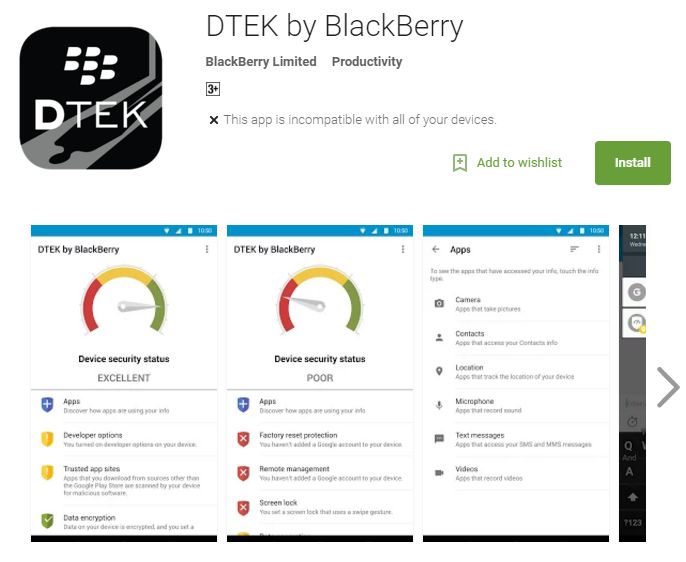
DTEK by BlackBerry

In this world of interconnected apps and networks, controlling what is shared and with whom it’s shared with can be a challenge. BlackBerry® DTEK for Android™ allows you to view and improve your privacy level and monitor application access to your camera, microphone, location, and personal information. Take control with DTEK by BlackBerry.

Key Features
  • Monitor – Know at a glance the overall security rating for your device, as well as for specific security features. You can identify whether you need to take any action to improve the security of your device.
  • Control – Easily change your security settings to improve the security rating for your device and specific security features.
  • Track – Turn on event logging to track what your apps are doing. Advanced tools help you track what info your apps have accessed, how it’s being used, and the duration of use. This includes which apps are accessing your camera, microphone, location, and personal information. 
  • Alert – Be notified of specific application activities when you set up notifications.

Monday, 20 April 2015

Joe Danger Motorcycle Stunt Game Hits Google Play Store


If you own a PS3 of XBOX 360 then you will surely know about Joe Danger. Now the same game has hit the Google Play Store with the same name. 

This is a side-scroller that plays half like a racer and half like a platformer. You must tap and swipe to avoid obstacles while collecting items and disabling traps. Sometimes you've got an opponent to race against too. The game promises 20 hours of gameplay, and there's a multiplayer mode. In-app purchases allow you to get extra coins and there is even a multiplayer mode available. You also have the option to choose from over 25 different characters in the game. While they have to be unlocked by progressing in the game, you could also buy then through in app purchases.


It is available in the Google Play Store at a price of around US$3 / Rs178.87. Download your game from here.

Wednesday, 15 April 2015

Rovio Officially Announces New Angry Birds Fight!


Rovio has now officially announced Angry Birds Fight though it’s been in soft-launch mode for over two months in Malaysia, Philippines, Singapore, and Thailand. Angry Birds Fight is a free-to-play “match-3 frenzy where you take on other players in real-time battles of strategic, bird swapping agility!”. It will be launching globally this spring. 


You can challenge other players globally in real-time match-three puzzles, Power up birds for the fight by matching faster and better than your opponent, Accessorize with different items to increase health, attack and add skills, Earn bird coins in fights to buy more weapons and accessories in the shop, Match 4 to activate special powers, Match 5 to start Fever Time, Play the lucky slots to unlock more items.


Download the game from here - Google Play Link, Apple Store Link. It is already available in some countries free with in-app purchases.

Wednesday, 8 April 2015

Instagram Update's New Creativity Tools


Instagram has added a set of new creativity tools with the ability to adjust brightness, contrast, saturation, warmth and more.

When you go to select a filter, you’ll now see a new wrench icon. Tap it and you’ll find a tray of photo editing tools ready for you to explore. You can also now adjust how much of a filter you apply to a photo by double tapping the filter icon.

This happens with most of us, you take a photo to capture the moment but the photo does not show up as expected. So here you have the creativity tool in Instagram through which you can you can bring out and share the beauty of the moment as you remembered. 

Download Instagram from here Android, iOS

Thursday, 2 April 2015

Original Tomb Raider Game On Android Now

Original Tomb Raider
The original Tomb Raider game is now available on Google’s Android platform, the game first launched back in 1996 on the PlayStation.

The game features the same third-person gameplay that made the original such a hit, with Lara traversing (not so) detailed 3D landscapes, shooting dangerous Lego shaped animals or humans, and of course solving puzzles all for the chance at scoring rare artifacts.

The Android version of Tomb Raider comes with all of the features of the original game and from the photos it looks like the graphics are very similar to the original game. "We’re going back to where it all began for one of the most famous video games of all time. That’s right, Tomb Raider I is now available for your Android device in all its ORIGINAL glory. We’ve not messed about with it, so it’s the full, unedited, unadulterated experience from the classic release at a super-low price. How better to find out if you’ve still got what it takes to beat a legendary game than by taking on the lost city of Atlantis and the pyramids of Egypt? It’s probably not for the faint of heart".

The first Tomb Raider is now available for Rs. 75.42. Download your game from here.

Monday, 16 March 2015

HTC releases Fun Fit App for Fitness Tracking

HTC has released a new fitness app named Fun Fit. The app lets users track their calories burned, walking time, distance, and steps without an additional connected fitness tracker. The fitness tracker app is available for a number of Android devices that are running at least Android 4.1.

You can either login via guest account or using your Facebook account. If you login through your Facebook account you can select an avatar and start competing with your friends. In addition to this, the app provides daily, weekly, monthly, quarterly, and yearly records.

HTC Fun Fit App
HTC Fun Fit App
Key features :

  • Daily activity history: step counts, distance, calories burned and time
  • Fun: Facebook friend interaction, and information sharing
  • Charts: daily, weekly, monthly, quarterly, and yearly records
  • Personalized settings: daily goals, unit: metric/imperial, height, and weight
Download your app from here.

Saturday, 21 February 2015

YouTube to Launch YouTube for Kids App on February 23rd

As per USA Today, YouTube is going to launch YouTube Kids on February 23rd. The free YouTube Kids app will be available for download on Android devices only no word on iOS availability.

"Parents were constantly asking us, can you make YouTube a better place for our kids," says Shimrit Ben-Yair, the project's group product manager, noting that family-friendly fare is a booming business on YouTube. "(Year over year) we've seen 50% growth in viewing time on YouTube, but for our family entertainment channels, it's more like 200%."

YouTube Kids App
YouTube Kids App

The app will be separate to the main YouTube service and features a homescreen with eight options made up of choices from kids TV shows and other popular recommendations. It will have four main option – shows, music, learning, and explore, which will let kids browse through top videos. Kids can search by typing or by voice search as most younger children can't type. "Try something else" message will pop out if a child deliberately or inadvertently types word such as "sex". The app can be controlled by using a password, certain time limit can be set to the app and once the time is up the app turns off and the app can be started again using the password.

Tuesday, 27 January 2015

Facebook Lite App for low end Android devices

Facebook Lite App
Facebook Lite App

Facebook has come up with Facebook Lite App for low end Android devices. It is designed specially for users with poor-quality mobile Internet connections in emerging markets.

A spokesman told AFP in an email that the "Facebook Lite" Android app is designed "for people on 2G (second-generation) connections or in areas of limited Internet accessibility."

The size of the app is less than 1MB ( around 252KB), the app is currently available in just eight countries in Africa and Asia: Bangladesh, Nepal, Nigeria, South Africa, Sudan, Sri Lanka, Vietnam and Zimbabwe. It also works on devices running Android 2.2.

Download Facebook Lite from here.

Monday, 26 January 2015

Reverie launches Swalekh multilingual Android keyboard with 11 Indian languages

Reverie Language Technologies launches Swalekh, a multilingual keyboard on Google Play Store. The keyboard supports 11 Indian languages, and will be compatible with all Android-based devices. These languages are : Assamese, Bengali, Gujarati, Hindi, Kannada, Malayalam, Marathi, Oriya, Punjabi, Tamil, and Telugu, apart from English.

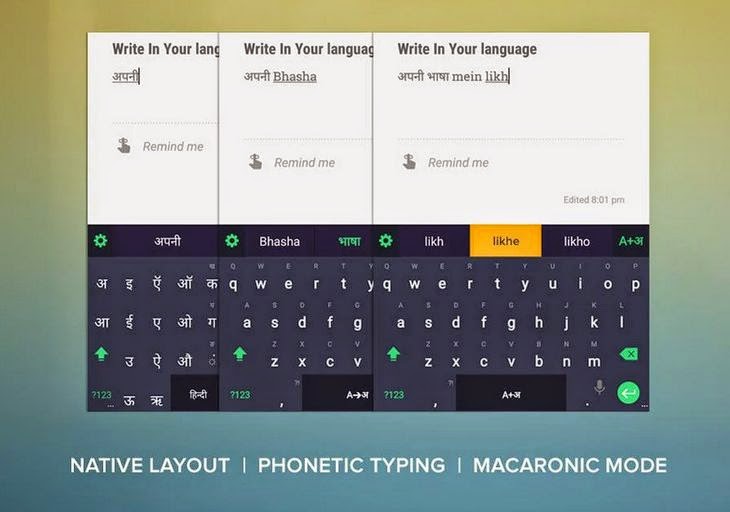
Swalekh multilingual Android keyboard

Swalekh can be used in three modes – native, phonetic and macaronic. In native mode, users will be able to type in their native language character keyboard. In phonetic mode, a users will be able to type in English, while the text automatically gets converted to the language of their choice. Marcaronic mode will allow users to write in multiple languages at the same time.


Commenting on the launch, Arvind Pani, Co-founder and CEO, Reverie Language Technologies, said,"After months of research, Swalekh has been designed and developed keeping non-English users in mind. We pride ourselves in calling it ‘Made in India, Made for India product. At Reverie, we have always aimed to address the local language user experience problem from all angles – be it typing, reading, quality of fonts, content discovery etc. I’m confident Swalekh will take the local language user experience up by many notches and it will set a trend among digital users to express themselves in their local language".

Download Swalekh from Google Play Store

Google Chromecast now available in India at Google Play for Rs. 2,999

Google Chromecast
Google Chromecast

Google has now officially launched Chromecast in India for a price of Rs. 2999. Google Chromecast, the device which allows users to to stream media to HDTVs via the HDMI port is now available.

The Google Chromecast can be controlled by a tablet or smartphone and supports various platforms including Android and iOS and also Windows and Mac. Chromecast is now available in India at Rs 2,999 from Google play.

In India, Chromecast currently supports YouTube and Google Play Movies, as well as apps from partners like Eros Now, Spuul and YuppTV. Airtel and Eros are offering Chromecast customers some special subscription offers. Eros Now will give Chromecast customers free access to their full catalog of content for two months. This includes popular Bollywood and regional movies, as well as music, and TV shows on-demand. Airtel is offering existing customers who buy a Chromecast, free data up to 60GB.